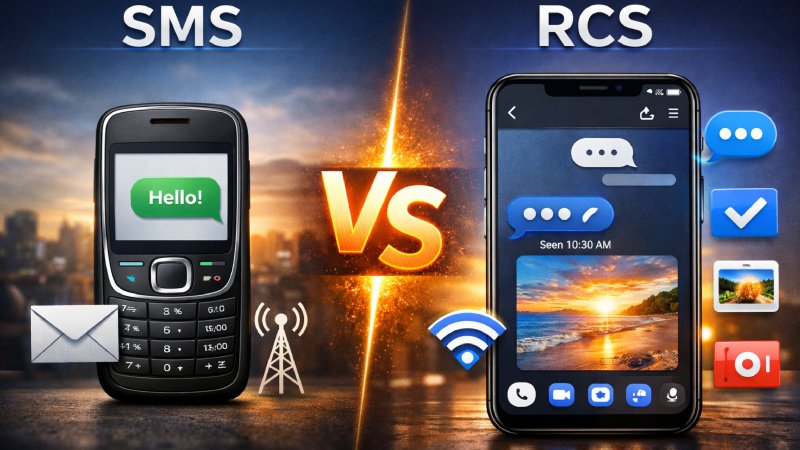
Text messaging has come a long way since the early days of mobile phones. For years, Rcs vs Sms was the standard way people communicated through text messages. It was simple and fast and worked on almost every mobile device. But as smartphones became smarter and users demanded more advanced communication features, a new messaging technology called RCS started gaining attention.
Today, many Android users notice features like typing indicators, read receipts, high-quality image sharing, and Wi-Fi messaging inside their default messaging apps. These modern features are possible because of RCS messaging. At the same time, SMS still remains widely used across the world for personal communication, business alerts, verification codes, and more.
This has created an important question for many users: what is the real difference between RCS and SMS?
Understanding RCS vs SMS is important because both technologies are still actively used in 2026. While one focuses on simplicity and universal compatibility, the other aims to provide a modern chat experience similar to popular messaging apps.
In this complete guide, you’ll learn what RCS and SMS are, how they work, their advantages and disadvantages, and which messaging option is better for modern communication.
What Is SMS?
SMS stands for Short Message Service. It is one of the oldest mobile messaging technologies and has been around since the 1990s. SMS allows users to send short text messages directly through a cellular network without needing an internet connection.
Originally, SMS messages were limited to 160 characters. Despite this limitation, SMS quickly became one of the most popular communication methods worldwide because it was simple and reliable.
Even today, SMS remains extremely important. Banks, online services, delivery companies, and businesses still use SMS for notifications, verification codes, and alerts.
Main Features of SMS
Works Without Internet
One of the biggest strengths of SMS is that it does not require Wi-Fi or mobile data. As long as your phone has a cellular signal, SMS messages can usually be sent and received.
Universal Compatibility
SMS works on almost every mobile phone, including older feature phones and modern smartphones. This makes it one of the most universally supported communication technologies.
Simple Text Messaging
SMS was designed mainly for plain text communication. While multimedia support exists through MMS, the experience is limited compared to modern messaging apps.
Reliable Delivery
SMS messages are usually delivered quickly, even in areas with weak internet access. This reliability is one reason businesses still depend heavily on SMS.
What Is RCS Messaging?
RCS stands for Rich Communication Services. It is considered the modern evolution of SMS messaging. The goal of RCS is to bring advanced messaging features directly into the default messaging app on smartphones.
Unlike SMS, RCS uses an internet connection through mobile data or Wi-Fi. It allows users to enjoy modern chat features similar to apps like WhatsApp, Messenger, and iMessage without needing separate applications.
RCS has become increasingly popular among Android users, especially through the Google Messages app.
Main Features of RCS
Typing Indicators
RCS allows users to see when someone is typing a message in real time.
Read Receipts
Users can know when their message has been delivered and read.
High-Quality Media Sharing
Unlike SMS or MMS, RCS supports high-resolution photos and videos without heavily compressing them.
Better Group Chats
RCS improves group conversations with better management and interactive features.
Wi-Fi Messaging
Messages can be sent through Wi-Fi instead of relying entirely on mobile carrier networks.
File Sharing
Users can send larger files, documents, and multimedia content more easily.
RCS vs SMS: Quick Comparison
| Feature | SMS | RCS |
|---|---|---|
| Internet Required | No | Yes |
| Typing Indicators | No | Yes |
| Read Receipts | No | Yes |
| Media Quality | Low | High |
| Group Chat Features | Basic | Advanced |
| File Sharing | Limited | Better Support |
| Security | Basic | Improved Encryption |
| Device Compatibility | Almost Universal | Limited Support |
| Wi-Fi Messaging | No | Yes |
Main Differences Between RCS and SMS
Although both technologies are used for messaging, they work very differently behind the scenes.
Internet Connectivity
SMS uses traditional cellular networks provided by mobile carriers. This means internet access is not necessary.
RCS, on the other hand, depends on an active internet connection through Wi-Fi or mobile data. Without internet access, RCS features may not work properly.
Messaging Experience
SMS offers a very basic communication experience. Messages are usually plain text with limited multimedia support.
RCS provides a richer and more interactive experience. Users can send larger media files, react to messages, view typing indicators, and enjoy smoother group chats.
Media Sharing
One of the biggest frustrations with SMS and MMS is poor media quality. Images and videos often become blurry after sending.
RCS greatly improves this experience by supporting high-quality media sharing.
Security Features
Traditional SMS does not offer strong encryption, making it less secure for sensitive communication.
RCS includes improved security measures, and some implementations support end-to-end encryption for private chats.
Device Support
SMS works on nearly every phone in the world.
RCS support depends on the device, carrier, region, and messaging app being used. While Android adoption has grown significantly, compatibility can still vary.
Advantages of RCS Messaging
RCS offers many modern features that improve the overall texting experience.
More Interactive Conversations
RCS makes texting feel more like chatting on social media apps. Features like typing indicators and read receipts create smoother communication.
Better Media Quality
Users no longer need to deal with heavily compressed photos and videos. This makes RCS ideal for sharing memories, business content, and multimedia files.
Improved Group Chats
Group messaging becomes more organized and user-friendly with RCS support.
Business Messaging Opportunities
Many businesses are adopting RCS for customer engagement. Companies can send interactive messages with buttons, images, maps, and branded content.
Wi-Fi Support
Users can continue chatting even when cellular service is weak, as long as Wi-Fi is available.
Advantages of SMS
Despite being older technology, SMS still offers several important benefits.
Works Almost Everywhere
SMS is supported by virtually every mobile device and carrier worldwide.
No Internet Needed
This is one of the biggest reasons SMS remains valuable. Users can send messages even without data or Wi-Fi.
Reliable for Verification Codes
Banks, apps, and websites often use SMS for two-factor authentication and security verification.
Simple and Easy to Use
SMS does not require special setup, apps, or internet access. It works automatically on most phones.
Disadvantages of RCS
While RCS offers impressive features, it still has some limitations.
Requires Internet Access
Without internet connectivity, many RCS features stop working.
Limited Global Support
Not all carriers and devices fully support RCS messaging yet.
Compatibility Issues
Some users may experience problems when messaging people who do not have RCS enabled.
Battery and Data Usage
Since RCS relies on internet connectivity, it may consume more battery and mobile data compared to SMS.
Disadvantages of SMS
SMS also has several drawbacks in the modern smartphone era.
Outdated Features
SMS lacks modern messaging functions like reactions, typing indicators, and advanced media sharing.
Poor Multimedia Experience
Images and videos often lose quality during transmission.
Limited Security
SMS messages are not strongly encrypted, making them less secure.
Character Limits
Long messages may sometimes be split into multiple texts.
RCS vs SMS for Businesses
Businesses are increasingly comparing RCS and SMS to improve customer communication.
Why Businesses Still Use SMS
SMS remains popular because of its universal reach. Companies know almost every customer can receive SMS messages regardless of device type.
Common SMS business uses include:
- Verification codes
- Appointment reminders
- Banking alerts
- Delivery notifications
Why Businesses Are Interested in RCS
RCS opens the door to more engaging customer experiences.
Businesses can send:
- Interactive product catalogs
- Rich images and videos
- Clickable buttons
- Live customer support chats
- Branded messages
For example, a delivery company using RCS could send a real-time tracking map directly inside the message conversation.
This creates a much more modern customer experience compared to traditional SMS.
Is RCS Replacing SMS?
RCS is growing rapidly, but SMS is not disappearing anytime soon.
SMS still plays an important role because of its reliability and universal compatibility. Many businesses and users continue depending on it daily.
However, RCS is clearly becoming the future of mobile messaging. More Android devices now support RCS by default, and major mobile carriers continue expanding compatibility.
The messaging industry is slowly moving toward richer communication experiences, and RCS is a major part of that transition.
RCS vs iMessage vs SMS
Many people compare RCS not only with SMS but also with Apple’s iMessage platform.
SMS
- Basic text messaging
- Works on all phones
- No internet required
RCS
- Modern messaging features
- Mainly used on Android
- Internet-based communication
iMessage
- Apple-exclusive messaging platform
- Advanced chat features
- Strong ecosystem integration
Apple traditionally relied on iMessage while Android promoted RCS. Over time, the gap between these messaging systems has slowly narrowed.
How to Enable RCS Messaging
Enabling RCS is usually simple on supported Android devices.
Step 1: Install Google Messages
Download or update the Google Messages app from the Play Store.
Step 2: Open Settings
Open the app settings menu.
Step 3: Enable Chat Features
Look for “RCS Chats” or “Chat Features” and turn them on.
Step 4: Verify Your Number
Your phone number may need verification before activation is complete.
Once enabled, you can start using advanced messaging features with compatible contacts.
Common Problems With RCS Messaging
Although RCS works well for many users, some people face issues occasionally.
Messages Sent as SMS Instead of RCS
This usually happens when:
- Internet connection is weak
- The recipient does not support RCS
- RCS is disabled
- Carrier compatibility issues exist
RCS Activation Problems
Sometimes verification may take time due to network or carrier delays.
Media Delivery Issues
Large files may occasionally fail if internet connectivity becomes unstable.
Which Is Better: RCS or SMS?
The answer depends on what you need from your messaging experience.
If you want:
- Modern chat features
- Better media sharing
- Interactive messaging
- Improved group chats
Then RCS is clearly the better option.
However, if you need:
- Universal compatibility
- Reliable offline messaging
- Simple communication
- Support on older phones
Then SMS still remains highly useful.
In reality, both technologies currently work together. Most smartphones automatically switch between RCS and SMS depending on network conditions and device compatibility.
Conclusion
The debate between RCS vs SMS reflects how mobile communication continues evolving. SMS laid the foundation for modern texting and remains one of the most reliable messaging technologies ever created. Its simplicity, global compatibility, and offline functionality still make it extremely valuable today.
At the same time, RCS introduces a far more advanced messaging experience. Features like read receipts, typing indicators, HD media sharing, and interactive business messaging make RCS feel closer to modern chat applications.
As smartphone technology continues improving, RCS will likely become more common worldwide. However, SMS is unlikely to disappear anytime soon because of its reliability and broad support.
For most users, the future of messaging will involve a combination of both technologies working together behind the scenes. Understanding the differences between RCS and SMS helps users choose the best communication method based on their needs, devices, and internet access.